Offline Dictation Software for Mac & Windows: The Complete 2026 Guide
Everything you need to know about offline dictation software for Mac & Windows: how local speech recognition works, who it's for, and what to look for.
You type roughly 30 to 40 words per minute. You speak around 150. And the AI on the other side of your screen? It's not waiting for you.
That's the uncomfortable truth of 2026: ever since ChatGPT, Claude, Copilot, and their peers became our permanent work companions, the keyboard has become the bottleneck. Not your thinking. Not the AI. You, with your ten fingers, which simply aren't fast enough to turn your thoughts into prompts, emails, and notes.
Voice changes that. A Stanford study from 2016 showed that dictation is about three times faster than typing on a smartphone keyboard, with fewer errors while entering text. Hands free. Thoughts out, directly.
That's exactly why more and more people are dictating their prompts, emails, notes, copy, code comments, and journal entries, at their desks, on the go, on a walk. But most dictation tools have a catch: every spoken word travels to the cloud. That costs speed, sometimes money, and, if you think it through, a piece of your data sovereignty. Precisely the thing you were trying to reclaim.
The alternative is offline dictation software for Mac & Windows: programs that convert your voice into text directly on your own machine. No server. No account. No internet required. Just you, your device, and an AI model that doesn't gossip.
Sounds niche? It isn't. Over the next few minutes, we'll show you who actually benefits (spoiler: probably you too), what a good solution needs to deliver, and what to watch out for so you don't pick the wrong one. By the end, you'll know whether local speech recognition is the next tool you'll wonder how you went without for so long.
 Illustrative image, AI-generated
What Is Offline Dictation Software?
Short and simple: offline dictation software is a program that converts spoken language into text directly on your Mac or Windows PC, without an internet connection and without transmitting data to external servers. All speech recognition runs locally on your device, typically via an AI model that is installed once.
That distinguishes these programs fundamentally from cloud dictation services like Microsoft Dictate, Google Docs Voice Typing, or most smartphone assistants. Those providers send your voice to data centers for processing, often outside the EU. With a genuine offline solution, transcription happens where you speak: on your own machine. The practical difference is easiest to see in our Ownvox vs Wispr Flow comparison, which puts a local-first app next to a cloud-first one.
Modern local speech models can now deliver competitive accuracy for many dictation tasks. Results still depend on the language, microphone, hardware, model, and speaking style, so the most reliable comparison is a trial with your own vocabulary and working conditions.
Who Benefits from Offline Dictation Software?
Ask yourself a quick question: when did you last spend an entire hour typing without once looking up? If you're hesitating, you're not alone. And you're probably in the target audience.
Four groups benefit most. The first is AI power users and anyone who prompts daily. If you work with ChatGPT, Claude, Copilot, or Cursor every day, you know the feeling: you have an idea, you start composing a prompt, and by the time your fingers catch up, half the thought is already gone. Voice solves exactly that problem. You speak the prompt at the same speed it forms in your head, the AI responds in seconds, you speak the follow-up. In 2026, dictation isn't just a convenience: it's the natural interface between you and all the AI tools you work with.
The second group is heavy writers of all kinds: knowledge workers with three hours of email a day, freelancers squeezing work in between client calls, students drafting a first pass at an essay, developers writing PR descriptions and code comments. Anyone who regularly produces longer texts can easily get an hour back per day with a good dictation tool, system-wide, in every app, whether Outlook, Slack, Notion, or an IDE.
The third group is people with RSI, tendinitis, or limited keyboard use. Anyone who has spent a week at a computer with aching wrists knows that typing isn't a neutral act: it takes a physical toll. Voice is the most direct way to produce text without loading your hands. It's an accessibility tool of the first order. And because an offline solution needs no internet, it's always there when you need it.
The fourth group is professionals with confidentiality obligations and organizations with strict compliance requirements: doctors, lawyers, therapists, journalists, consultants, as well as banks, insurers, government agencies, and critical infrastructure operators. Anyone who professionally handles sensitive content often simply cannot send audio material to the cloud. For this group, an offline solution isn't just convenient: it's practically a regulatory necessity. We'll get into the legal details further below.
Why Offline Dictation Software? The Key Advantages over Cloud Tools
Did you recognize yourself in at least one of those groups? Good. Now for the real question: why go offline at all, when cloud dictation is built into every smartphone? Four answers, each one reason enough on its own.
First: an offline solution works everywhere, no exceptions. Train, airplane, café with spotty Wi-Fi, mountain cabin, home office with a dead router. This is where cloud tools fail, while offline dictation software keeps running without missing a beat. No server to go down. No API quota that maxes out at the worst moment. No mobile signal that just isn't feeling it today.
Second: speed that feels like typing. You speak, the text is there. Full stop. That's not an exaggeration: that's the real experience on modern hardware. Because processing happens locally, the round-trip time to a server is completely eliminated. On Apple Silicon (M1 through M5) and current Windows laptops with a GPU or NPU, recognition runs in real time. Cloud tools simply can't match that, because the speed of light applies to Microsoft too.
Third: full control over your data. Imagine you're dictating a quick note about your next career move. Or an honest email you want to sleep on. Or a few thoughts that nobody else should read. With offline software, every audio recording and every transcript stays exclusively on your device. You decide whether, where, and how long anything is stored. No model training on your voice data. No third-party backups. No analysis for advertising purposes. Nobody but you.
Fourth: privacy that takes care of itself, quietly. Even if you have no secrets to keep: your voice is personal data, and it becomes biometric data under GDPR Art. 4(14) once it is processed with specific technical means to identify a person. What you speak is often notes, journal entries, half-formed ideas, candid thoughts, exactly the kind of content that shouldn't be strip-mined for someone else's benefit. A local solution ensures that none of it leaves your device uninvited. Sounds like a bonus? It should really be the default we all had coming.
Offline vs. Online Dictation Software: Head-to-Head Comparison
Before you say "sounds great, but show me the numbers," here's the direct comparison at a glance.
| Criterion | Offline Dictation Software | Cloud Dictation Software |
|---|---|---|
| Privacy | Data stays local | Transmitted to provider servers |
| Internet required | No connection needed | Permanent connection required |
| Latency | Very low (local) | Depends on connection |
| Accuracy | Very high (modern models) | Very high |
| Multilingual support | Model-dependent | Very broad |
| Hardware requirements | Current Mac/PC recommended | Doesn't matter |
| GDPR complexity | Very low | High (DPA, third-country transfers) |
Bottom line: if you want speed, independence, and data sovereignty, an offline solution wins. If you need maximum language variety and minimal hardware requirements, cloud solutions are livable, but you accept their structural trade-offs.
What a Good Offline Dictation Solution Must Do
So much for the theory. But honestly: most dictation apps disappoint in day-to-day use. They can do a lot in theory and deliver little in practice. What separates a toy from a real work tool comes down to a few key points.
The most important is a system-wide dictation function: the software must hook into every application, Word, Outlook, Slack, legal software, your browser, your code editor, any text field, and be available at any time via a global shortcut (push-to-talk or toggle). Closely tied to this is recognition accuracy: good local models reliably handle complex specialist and foreign vocabulary. Look for software that uses OpenAI's Whisper model or comparably strong proprietary models, ideally in multiple sizes so you can trade off between speed and accuracy.
In multilingual markets, language support is non-negotiable: anyone who dictates alternately in English, German, French, or Italian should choose a solution that supports dozens of languages and ideally auto-detects which one is being spoken. Things get genuinely interesting with on-device AI post-processing: if the software can refine the raw transcript locally using a language model, removing filler words, restructuring into complete sentences, reformatting as an email or note, then a simple dictation program becomes a full writing assistant, without the content ever leaving the device.
Then there are softer but decisive factors: a custom vocabulary for your own terms and abbreviations, native apps for macOS and Windows (not Electron wrappers, but real platform builds), built-in text snippets for recurring phrases, and above all transparent licensing terms. Read the fine print: does the vendor collect telemetry? Are anonymized dictations sent back to the provider? A genuine offline solution should be clear and verifiable on these points.
Offline Dictation Software for Mac & Windows: Platform Specifics
Those are the cross-platform criteria. Now let's get specific, because Mac and Windows behave quite differently when it comes to local AI.
On the Mac, the past few years have been something of a quiet revolution. Apple Silicon (M1, M2, M3, M4, M5) brings a dedicated Neural Engine that runs AI models with extraordinary efficiency. This makes modern Macs ideal devices for local speech recognition, and remarkably battery-friendly too. What to look for on macOS: the app should be a native Apple Silicon build, no Rosetta workaround. It needs to fit cleanly into the macOS permission model (microphone, accessibility), and ideally run as a menu bar app or background service for instant access. Dictation should work in any text field without the app needing to be in the foreground, and global shortcuts shouldn't clash with system or app hotkeys. And finally: signed and notarized builds are the baseline for trustworthy Mac software. macOS's built-in dictation is solid and can handle longer text, but in our view it's rarely enough for heavy users: it offers limited customization, and whether speech is processed on the device depends on your language and settings.
On Windows, the picture is more varied, with genuine strengths but significantly more variation in quality. This is where the field separates. What matters: GPU or NPU acceleration via CUDA, DirectML, or OpenVINO makes the difference between sluggish and real-time recognition. The installer should be clean, free of adware, and code-signed by a verifiable publisher. A good solution integrates unobtrusively into the system tray and runs there in the background. Also important: full compatibility with current Windows 11 and ideally ARM devices like Snapdragon X, plus reliable microphone handling across headsets, conference mics, and Bluetooth devices. Windows 11's built-in voice input is decent for casual users, but Windows voice typing (Win+H) uses Microsoft's online speech recognition (Azure) and needs an internet connection, so it's not a genuine offline solution. How a local solution handles all of this in practice is shown on our page about dictation software for Windows.
Data Protection and GDPR: What the Law Has in Your Favor
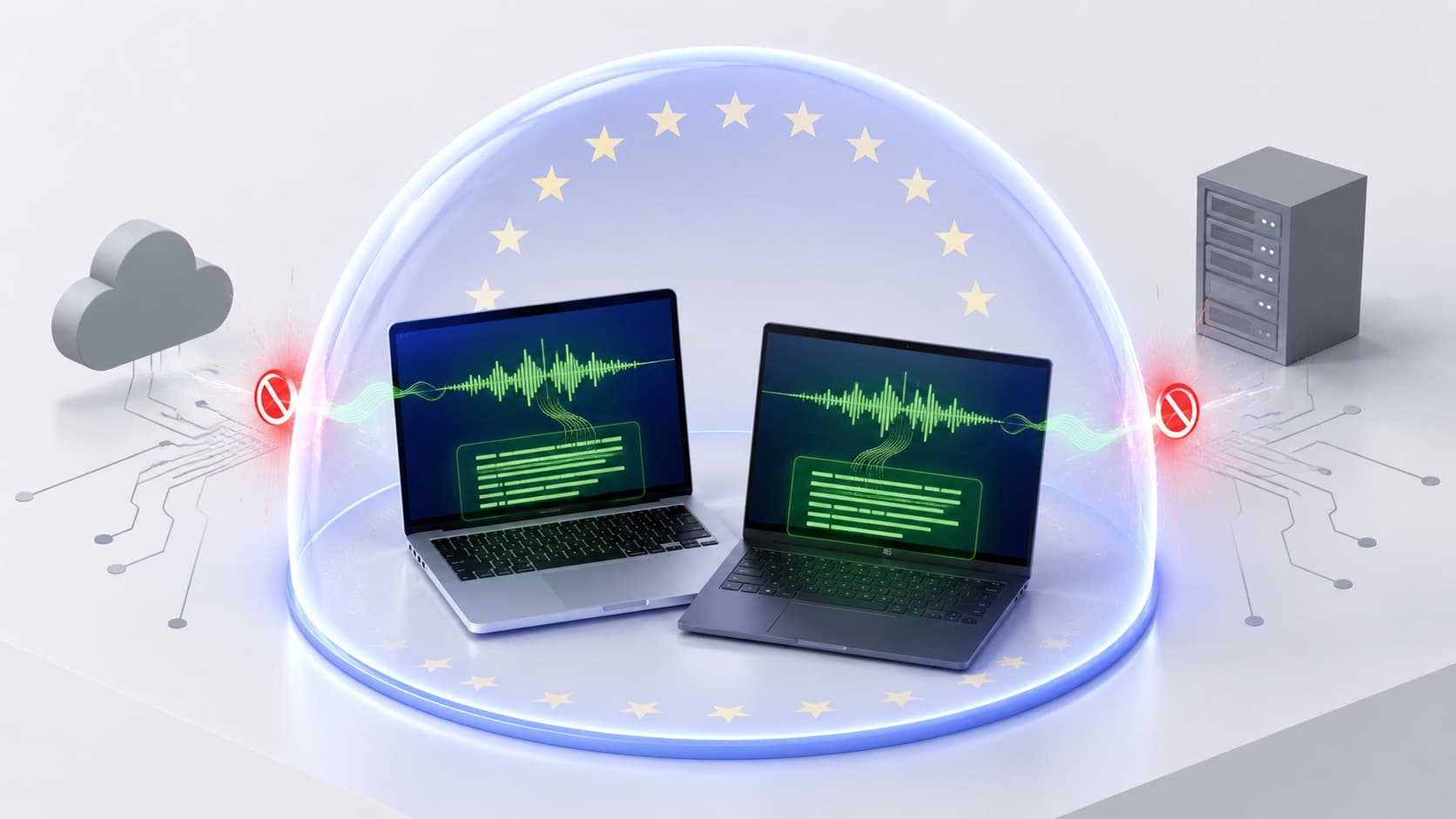 Illustrative image, AI-generated
Now for a brief detour into legal territory. Don't worry, this is the shortest GDPR explanation you'll ever read. But it matters. Because as soon as your dictations involve personal data in any way (and they do, faster than you might expect), data protection becomes the central question. This is where a genuine offline solution shines like almost nothing else.
A true offline dictation solution significantly reduces your data protection obligations. You don't need a Data Processing Agreement (DPA) under Art. 28 GDPR, because no personal data is transferred to a third party. There are no third-country transfers, so Schrems II concerns simply don't apply. Your information obligations under Art. 13/14 GDPR are lighter, because there are no additional recipients to disclose. You satisfy the principle of data minimization "by design" almost automatically, because the content never leaves the device. And if a Data Protection Impact Assessment is required, it becomes significantly simpler.
Important caveat: this doesn't replace your general obligations around endpoint security: disk encryption, access controls, and backups still apply. But it makes the overall compliance picture dramatically more manageable. If you want to go deeper, our articles on GDPR-compliant dictation software and GDPR-compliant transcription software assess the individual tools against exactly these criteria.
How to Choose the Right Offline Dictation Software
So. You now know who benefits, why it's worth it, what a good solution needs to do, and how Mac and Windows differ. That leaves just one question: which one? Six considerations are enough to land on the right choice quickly.
First, ask yourself which platforms you need: Mac only, Windows only, or both natively. If you work in mixed environments, go for genuine cross-platform software rather than parallel isolated solutions. Second, consider how sensitive your content is. If you're bound by professional confidentiality, cloud hybrids (local recognition with cloud-based post-processing) are not a true offline solution. Everything must run locally, including any AI refinement. Third, your hardware matters: Apple Silicon from M1 onwards, modern Windows laptops with 16 GB RAM and a dedicated GPU or NPU are ideal; on older hardware, lean toward smaller models.
Fourth, check multilingual support if you need it. Is the list of supported languages long enough? Can the software auto-detect the language per dictation session? Fifth, look at how actively the software is maintained: are there regular updates? How does the vendor respond to security issues? Is the build process transparent? And sixth, prioritize a low-risk entry point. Dictation is very personal, and a tool that looks great on paper can feel different in daily use. A demo, a well-defined trial period, or a money-back guarantee are your friends here.
Frequently Asked Questions About Offline Dictation Software
Still on the fence? Three minutes, and we'll clear that up too. Here are the questions we get most often, and the honest answers.
Does offline dictation software really work without internet?
Yes. After a one-time installation and model download, recognition and transcription run entirely locally. You can continue dictating in airplane mode or without any network connection.
Is the quality worse than cloud services?
Often not anymore. Modern local models (e.g. Whisper-based architectures) achieve word error rates that are competitive with commercial cloud providers for many tasks, especially in English, German, French, Italian, and Spanish. Results still depend on language, microphone, and model.
What about Apple Silicon?
Excellent. The Neural Engine in M1 through M5 chips is optimized for AI workloads, making offline dictation on the Mac extremely efficient and easy on the battery.
Do I need an expensive GPU on Windows?
Not necessarily. Smaller models run smoothly on a current integrated GPU or NPU. A dedicated GPU helps for the fastest recognition with larger models.
How secure is the dictation file on my computer?
As secure as the rest of your device. Focus on disk encryption (FileVault on macOS, BitLocker on Windows), a strong login password, and regular backups.
Can I also transcribe long audio files?
Yes. Many solutions allow you to import existing audio files and transcribe them in batch, also offline. Ownvox does this in the Transcripts tab of its Mac and Windows app: you add audio or video files (mp3, wav, m4a, aac, flac, ogg, mp4, mov, mkv; for video, only the audio track is used), each up to 6 hours long, and they are queued and transcribed one after another with a local model. You copy the result or save it as a .txt or .md file. Subtitles and timestamps are not part of it.
What happens to the model if the vendor disappears?
As long as the model and app are installed on your device, they keep working. That's a structural advantage over cloud services, which go down with their provider.
Conclusion: When Is Offline Dictation Software for Mac & Windows Worth It?
Let's pull the threads together.
Offline dictation software for Mac & Windows is generally the better choice if you dictate regularly and any of the following applies to you: you work with AI tools daily and notice the keyboard slowing you down. You want speed and to produce text several times faster than typing. You often work on the go or without a stable connection. You value privacy and data sovereignty. You write a lot and want to take the load off your hands. Or you work with sensitive content and are bound by confidentiality obligations.
Here's the uncomfortable truth: the technology is mature in 2026. It's fast, accurate, and solid. What was a compromise just a few years ago is now often simply the better option, not just for professionals with strict confidentiality requirements, but for anyone who takes their voice seriously as a tool. If you're still typing what you could just as easily speak, you're giving away an hour of your life every single day.
Ownvox: Offline Dictation Software for Mac & Windows
Looking for a concrete place to start? Here's our own recommendation.
Ownvox was built from the ground up as a local dictation and transcription solution. The app runs natively on Apple Silicon and Windows, transcribes system-wide in any application, whether ChatGPT, Mail, Slack, or your code editor, and supports several dozen languages. By default, all audio and text data stays on your device. No model training on your content. No detours. Beyond dictation, the app also transcribes audio and video files from its Transcripts tab, always with a local model. You can find all the details on our offline dictation software page.
Want more power? You can optionally enable cloud transcription for dictation. It runs exclusively through carefully selected European subprocessors and is designed for GDPR compliance, with EU hosting and a data processing agreement. That gives you the choice: maximum data sovereignty in offline mode, or additional processing power within a legally sound EU infrastructure. Both paths stay on European soil. Files in the Transcripts tab are the exception to the cloud option: they are always transcribed locally, never in the cloud.
If you're looking for fast, GDPR-compliant offline dictation software for Mac & Windows, Ownvox is the most direct path to being productive right away.
Sources and Further Reading
The key speed figures in this article are based on the following sources: The study Speech Is 3x Faster than Typing for English and Mandarin Text Entry on Mobile Devices by Ruan, Wobbrock, Liou, Ng, and Landay (Stanford University, 2016) documents the speed advantage of voice over typing. Data on average typing speed comes from Wikipedia (Words per minute) and aggregated results from online typing tests. The figure of approximately 150 words per minute for speaking speed, a typical conversational rate, follows guidance from the National Center for Voice and Speech.
Last updated: October 15, 2026 · Author: Ownvox Team